
 Cash Bay SlotsGUIDE 01
Getting started & lobby
Find games and learn where to access common features.
01.01
Lobby overview
Where to find it · Enter the game → Lobby
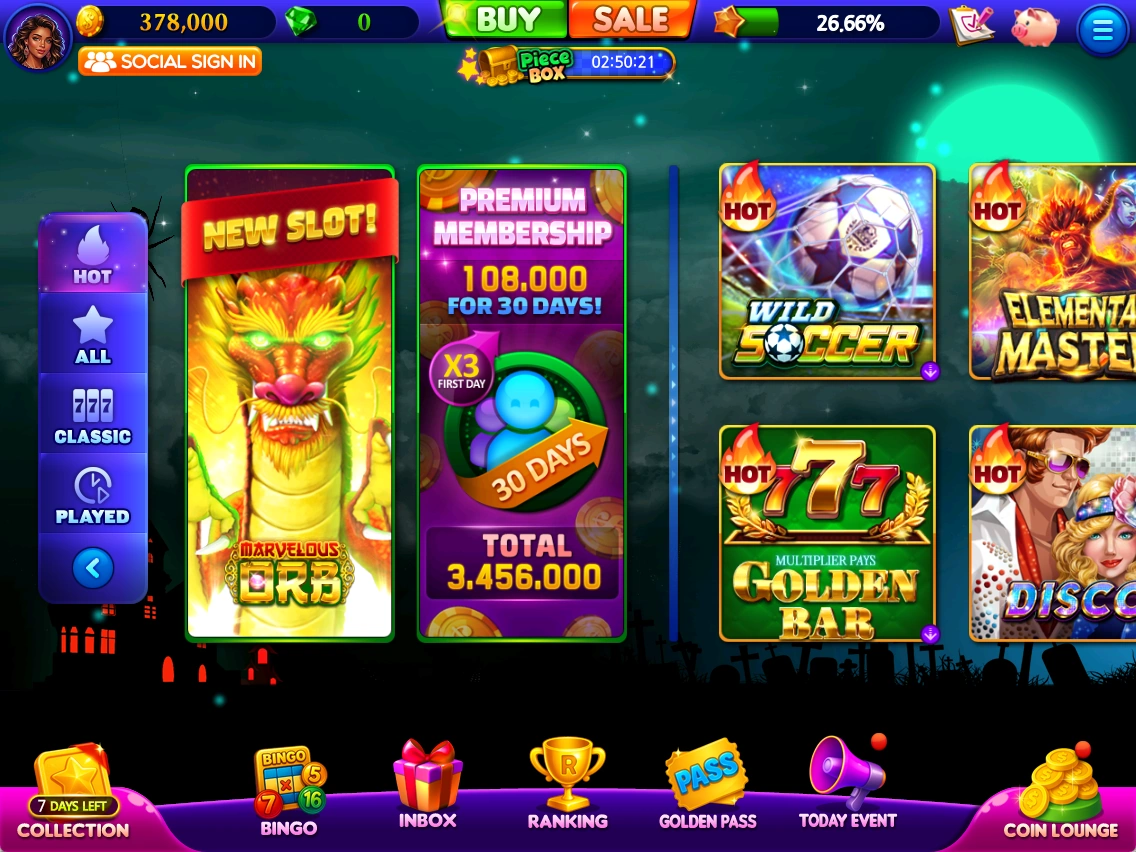
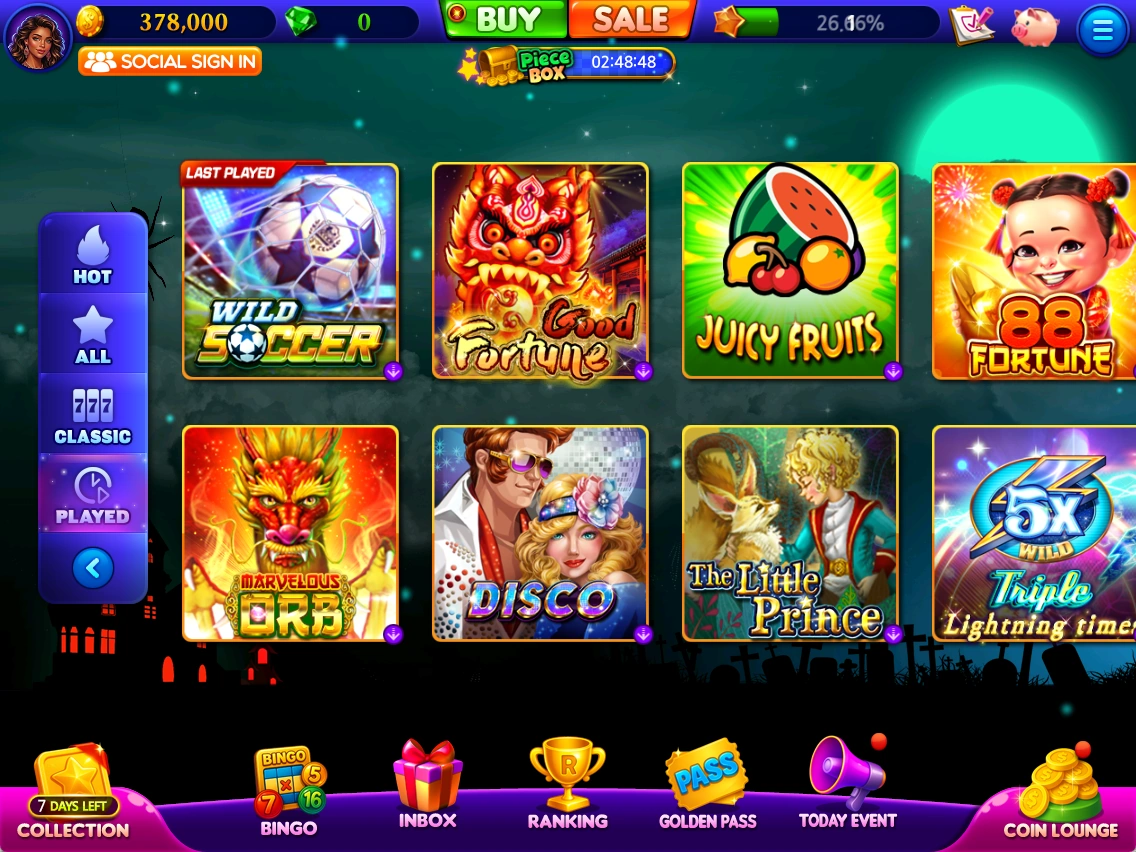
Choose a slot or open Bingo, missions and bonus features from the lobby. English button labels are retained to match the game screens.
- Use the tabs on the left to choose a slot list.
- Click a slot image in the center to enter the game.
- Use the bottom menu for COLLECTION, BINGO, INBOX, RANKING, GOLDEN PASS, TODAY EVENT and COIN LOUNGE.
01.02
Slot lists & recently played
Where to find it · Lobby → Left-hand tabs
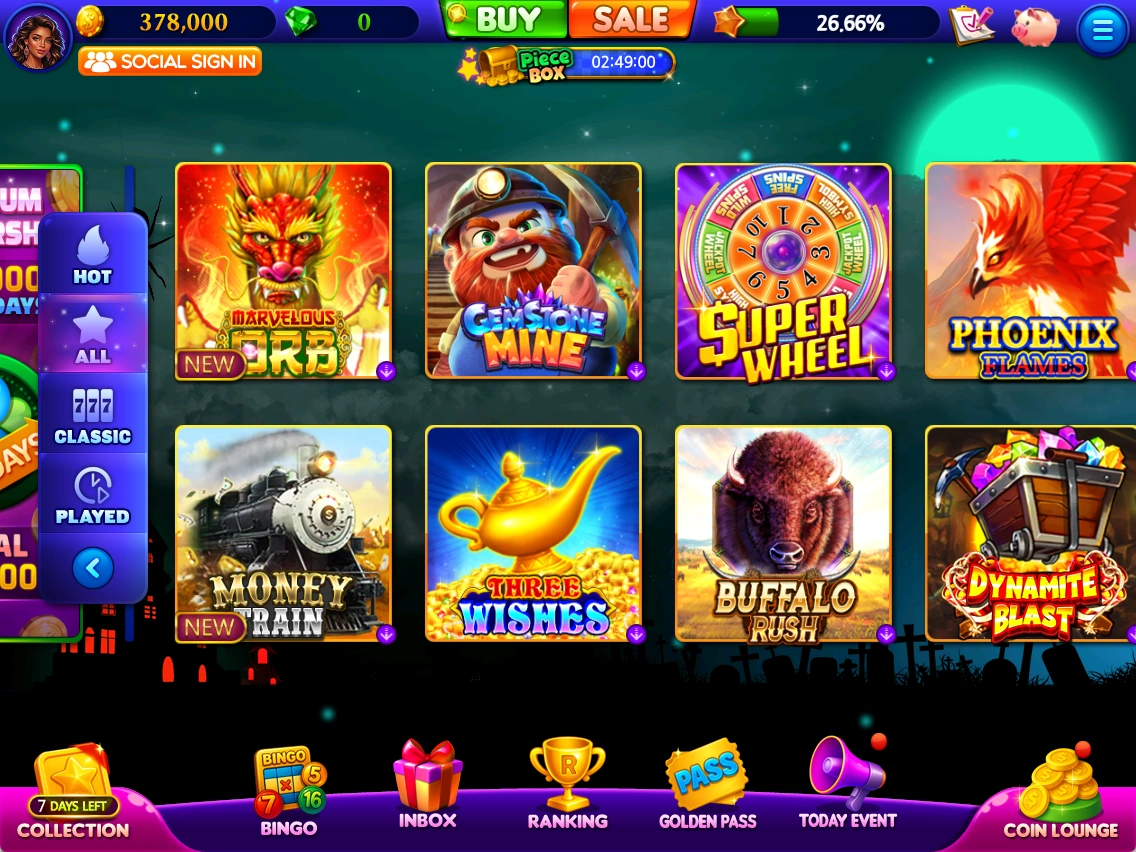
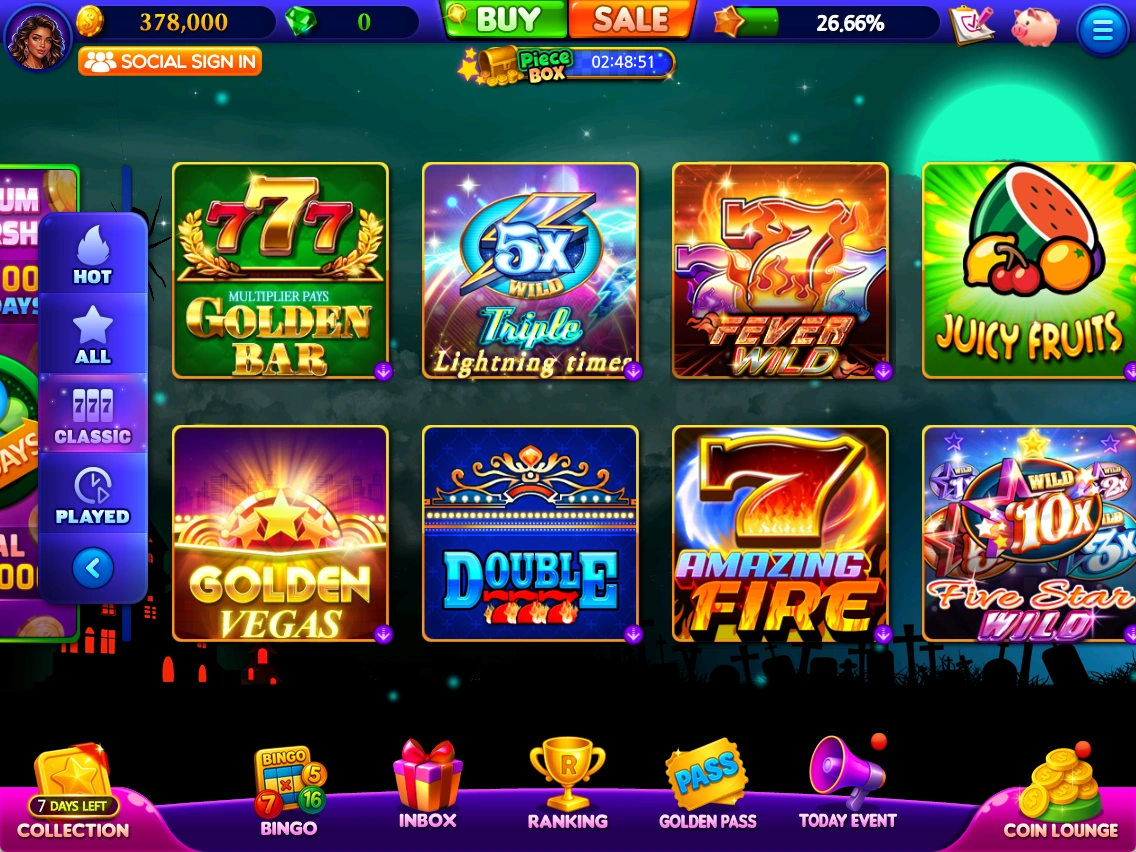
Switch between HOT, ALL, CLASSIC and PLAYED to browse slots.
- HOT: browse slots marked HOT.
- ALL: view the full slot list.
- CLASSIC: browse classic slots.
- PLAYED: Check LAST PLAYED and your 16 most recently played slots.
See the latest in-game information for prices, rewards, events and applicable conditions.