
 Galaxy CasinoGUIDE 01
Getting started & lobby
Find slots and learn where to access frequently used menus.
01.01
Lobby at a glance
Where to find it · Launch the game → Lobby
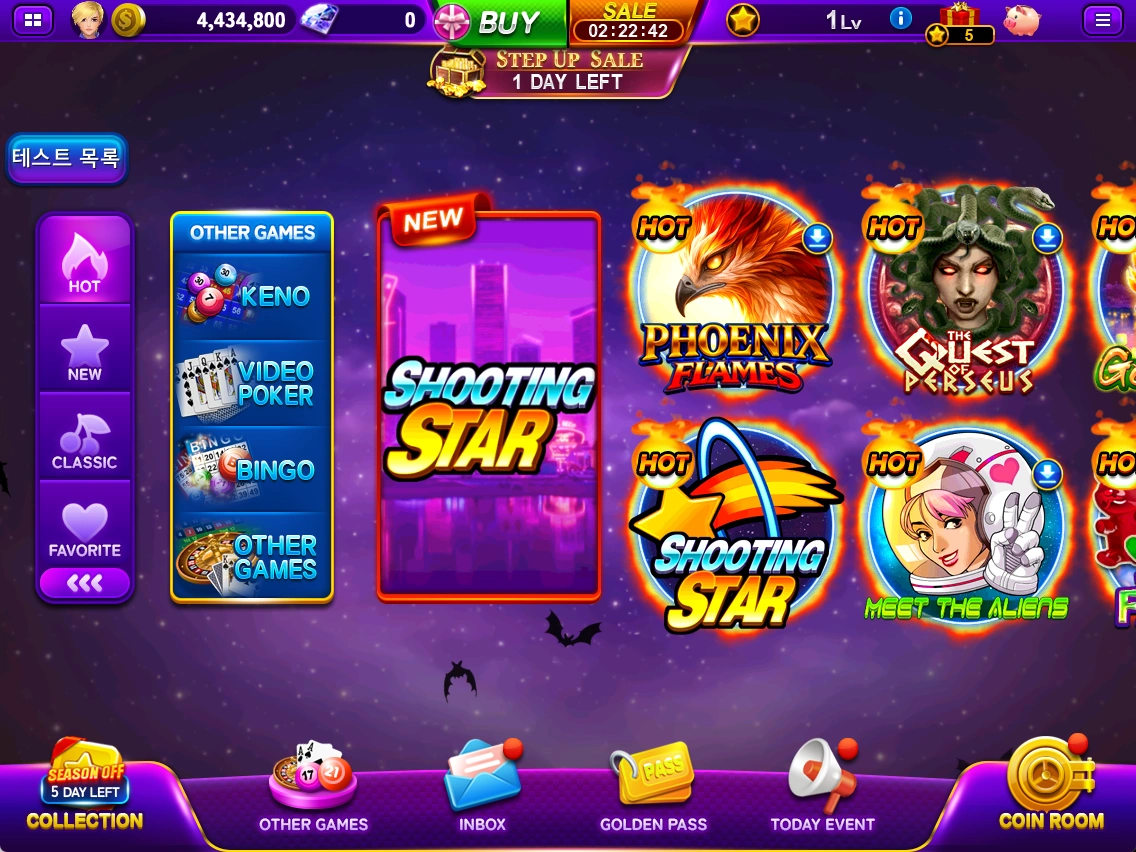
Choose a slot or open other games, bonuses and account menus from the lobby.
- Select a slot image in the center to enter that slot.
- Find KENO, VIDEO POKER, BINGO and more in OTHER GAMES.
- Use COLLECTION, INBOX, GOLDEN PASS, TODAY EVENT and COIN ROOM along the bottom to check collections, rewards and events.
- Open your profile or the menu at the top to view account information and settings.
01.02
HOT, NEW and CLASSIC lists
Where to find it · Lobby → Slot lists on the left
Switch lists to find the type of slot you want.
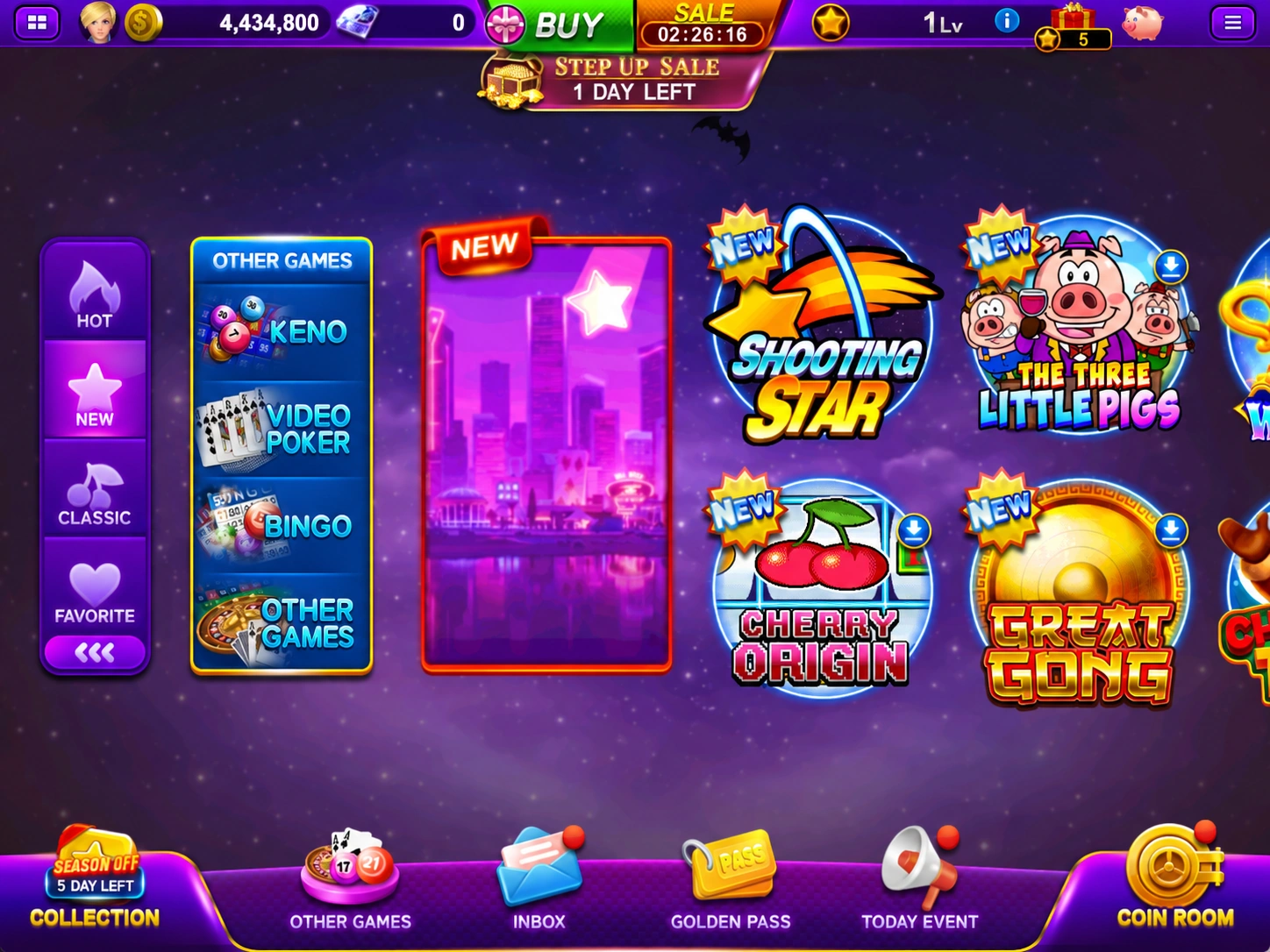
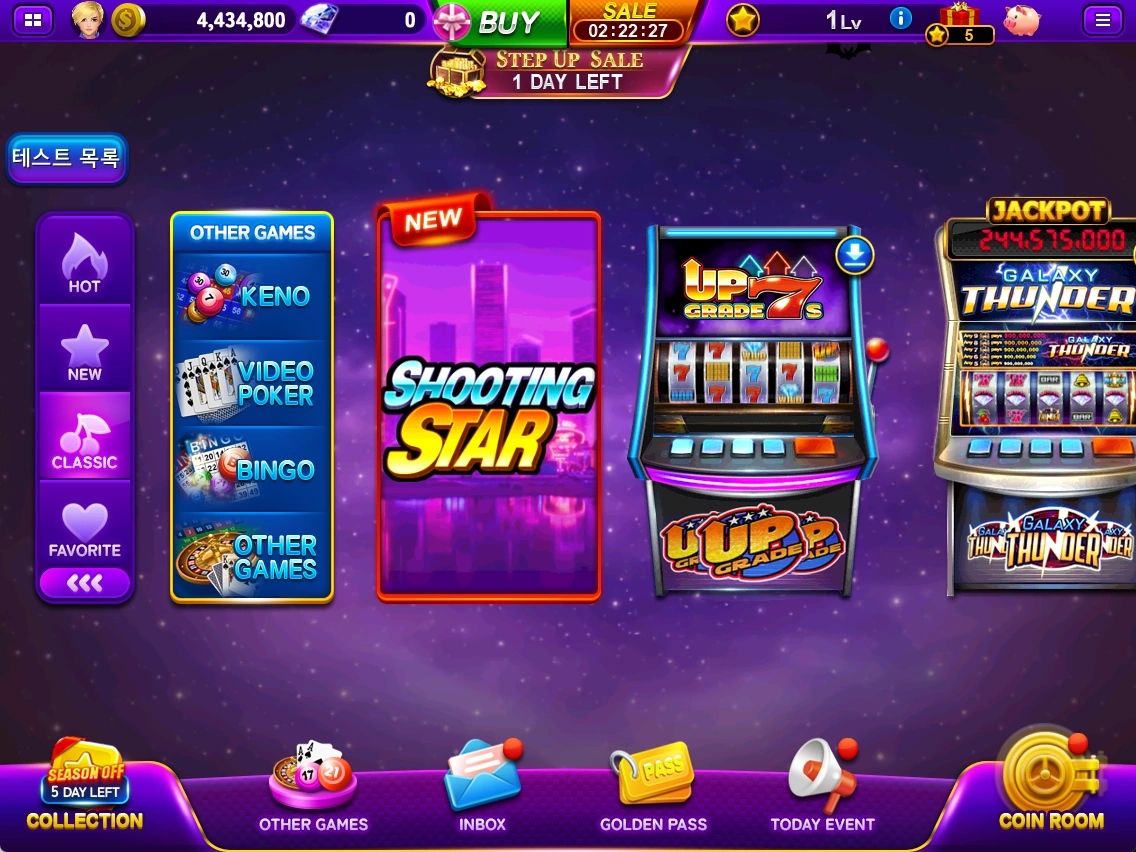
- HOT: Browse popular slots.
- NEW: Explore newly released slots.
- CLASSIC: View classic slots together.
01.03
Adding favorites
Where to find it · Lobby → Slot image / FAVORITE
Keep the slots you play often in your favorites.
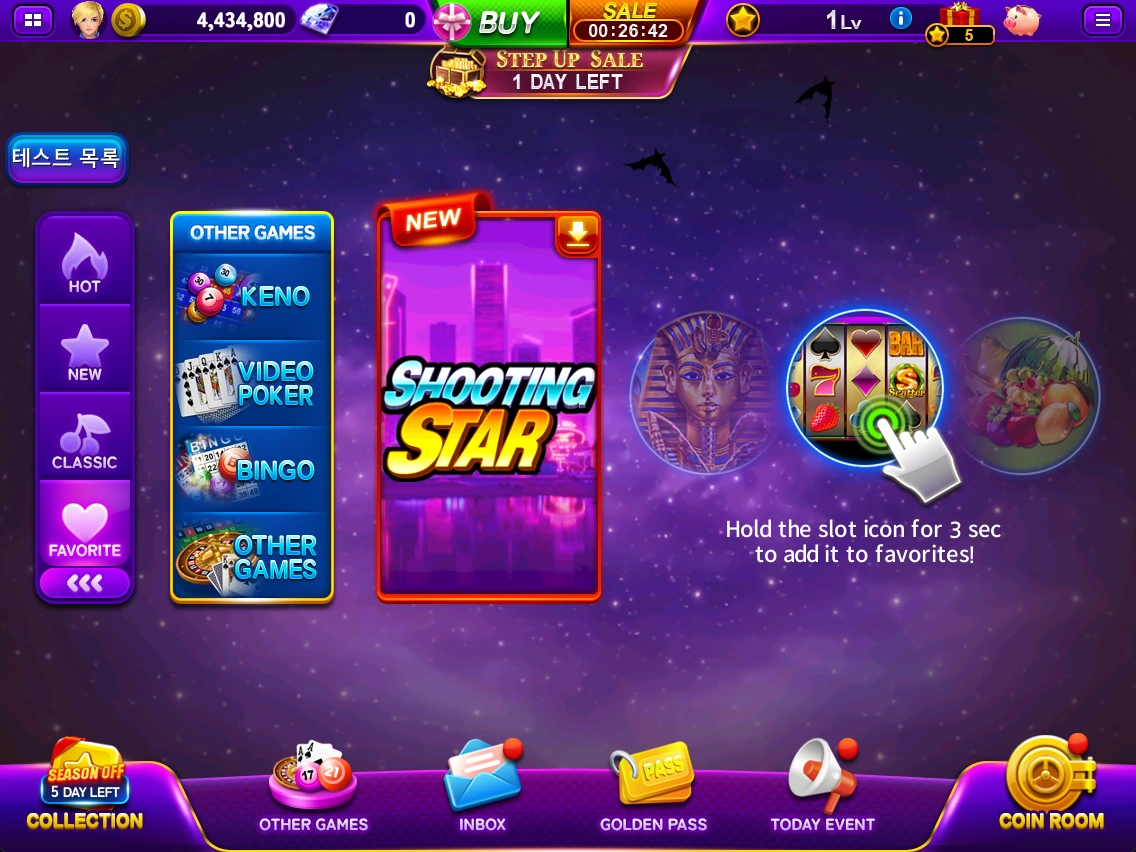
- Press and hold a slot image for about 3 seconds.
- Select FAVORITE on the left to see your saved slots.
See the latest in-game information for prices, rewards, events and applicable conditions.